Current Price: $136 On Amazon
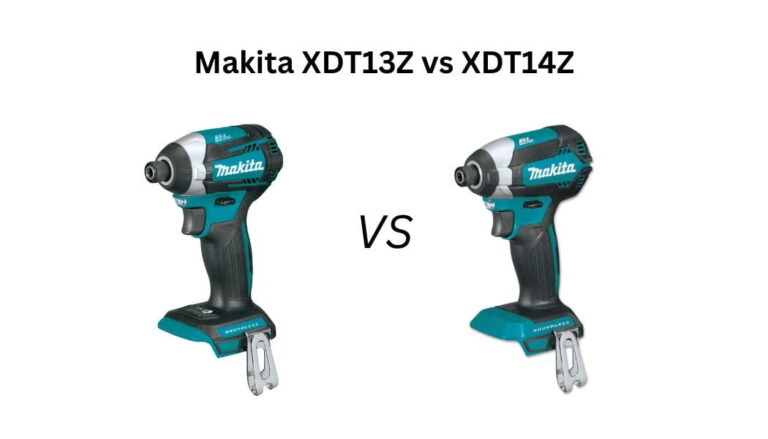
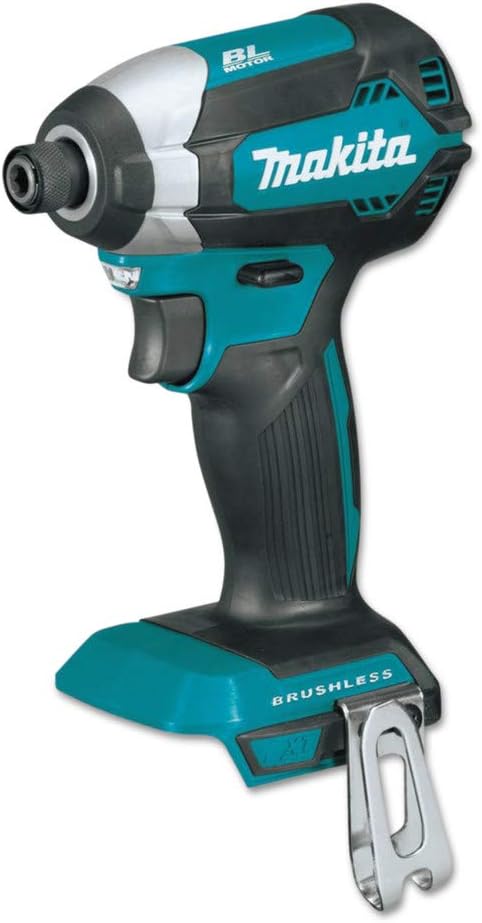
The smarter all-rounder. 1,550 in-lbs torque, 3 speed modes + T-Mode + Quick-Shift, 4-5/8" compact body. The one tool that handles everything from lag bolts to cabinet screws.
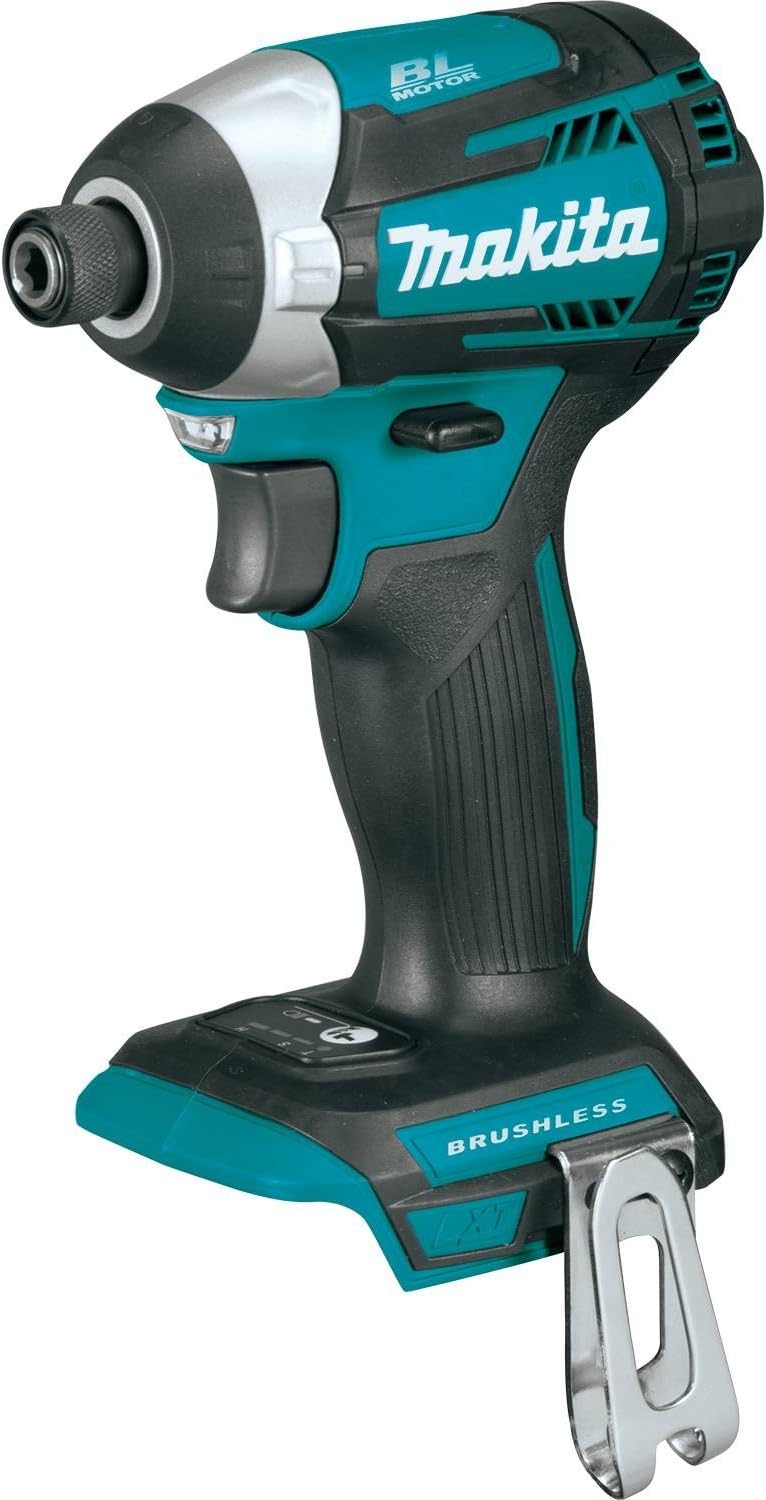

Current Price: $109 On Amazon
The no-frills workhorse for rough work. Powerful brushless motor, 1,500 in-lbs torque, compact 5" body. Best value if framing is all you do.
Introduction
My old impact driver gave up on me in the middle of a deck project.
Screws halfway in, lumber sitting there, and me standing like an idiot with a dead tool in my hand.
My buddy Ahmed — who’s been doing woodworking way longer than me — told me straight up: “Just get the Makita XDT14Z, done.”
But when I went online to order it, I kept seeing the XDT13Z sitting right next to it for less money.
Same brand, similar specs, and nobody could give me a clear answer on which one was actually worth it.
So I did what any reasonable person would do — I bought both.
That was May 15th. For the next 20 days I drove screws into oak, pine, lumber, and concrete to find out if that price difference means anything in real life.
No spec sheets, no Amazon descriptions — just 5 brutal tests and whatever the tools could prove on their own.
The Makita XDT13Z vs XDT14Z answer I’m about to give you? I earned it the hard way.
Table of Contents
Quick TLDR:
The XDT14Z wins every single test. More control, smarter modes, less fatigue, and it won’t destroy your material. Pay the extra $40-50 — you’ll thank yourself on the first real job.
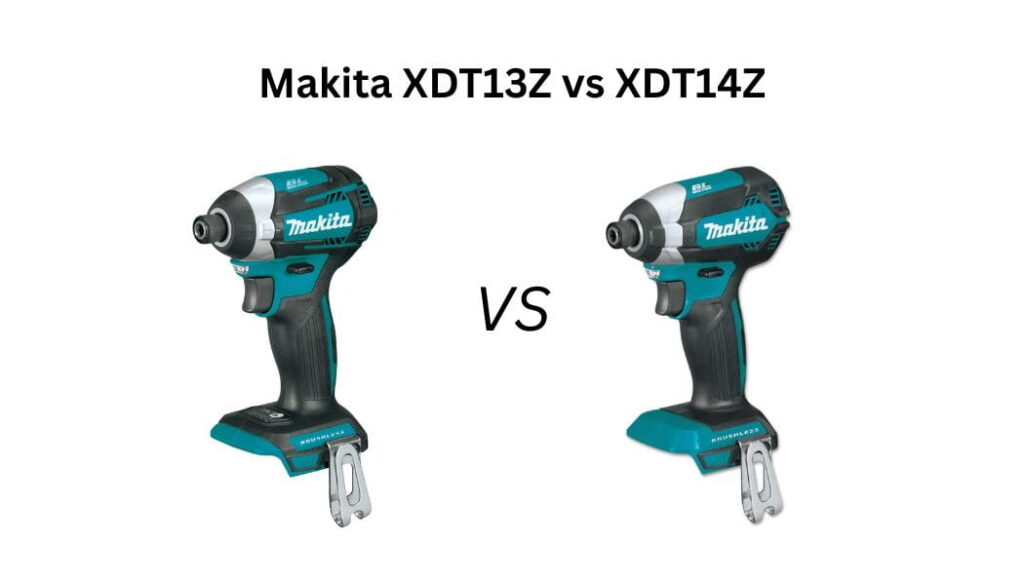
At-a-glance: Makita XDT13Z vs XDT14Z
| Features | XDT13Z | XDT14Z |
|---|---|---|
| Max Torque | 1,500 in-lbs | 1,550 in-lbs |
| Max Speed | 3,400 RPM | 3,600 RPM |
| Speed Modes | 1 (variable trigger) | 3 + T-Mode |
| Length | 5 inches | 4-5/8 inches |
| Weight (bare) | 2.08 lbs | 1.98 lbs |
| Quick-Shift Mode | ✗ | ✓ |
| T-Mode | ✗ | ✓ |
| Best For | Rough framing, decking | All-around use |
| Our Pick | Budget jobs | ✓ Winner |
| Where To Buy | Check On Amazon | Check On Amazon |
Makita XDT13Z vs XDT14Z: Which Is Actually Best In Real Life?
Test 1 — Lag Bolt Torture (Raw Power)
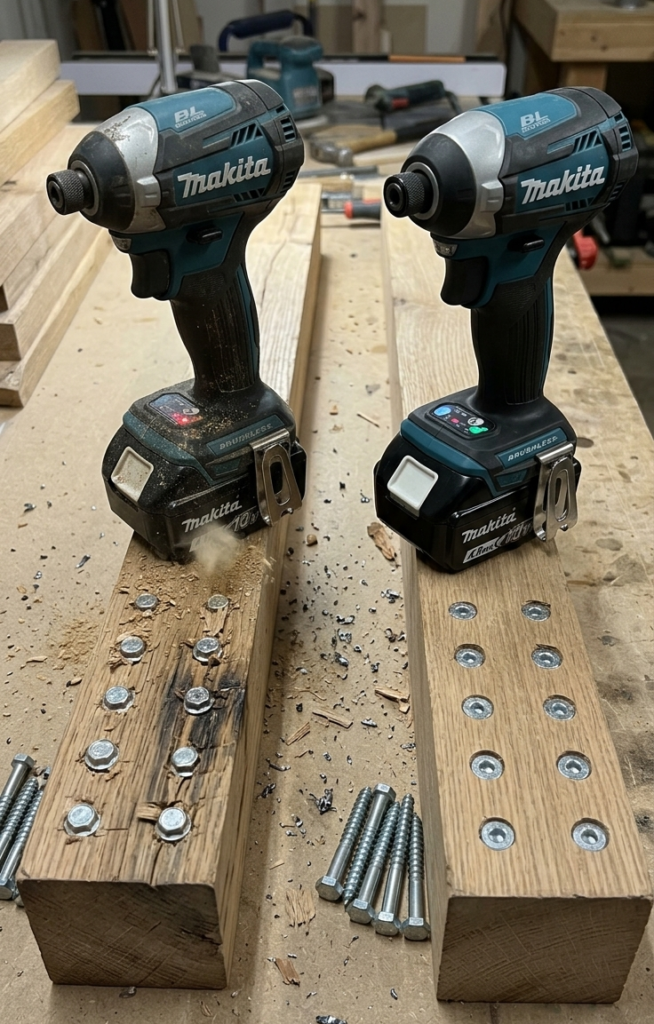
I grabbed 20 lag bolts — 5/16″ × 3″ — and two pieces of solid oak 4×4. No pilot holes. Full battery on both drivers. 10 bolts each. Let’s see what happens.
XDT13Z got through all 10 bolts but honestly, it wasn’t pretty. Around bolt 6 or 7, I could feel it working harder. It has 1,500 in-lbs of torque and only one drive mode, so there’s no option to switch things up — it just hammers away at full blast the whole time. It drove every bolt home but it took noticeably longer on the last few. The oak was fighting back and the XDT13Z had no tricks left to deal with it.
XDT14Z was a different story. Same bolts, same wood — but this thing has 1,550 in-lbs of torque AND four drive modes. I threw it into Mode 1 which is basically built for heavy fastening jobs like this, and it chewed through all 10 bolts faster and with less drama. It didn’t slow down. It didn’t struggle. It just drove.
Winner: XDT14Z — More torque, smarter modes, and it didn’t break a sweat on oak. The XDT13Z finished the job but you could tell it was near its limit.
Here’s Test 2:
Test 2 — Deck Screw Marathon (Heat & Runtime)
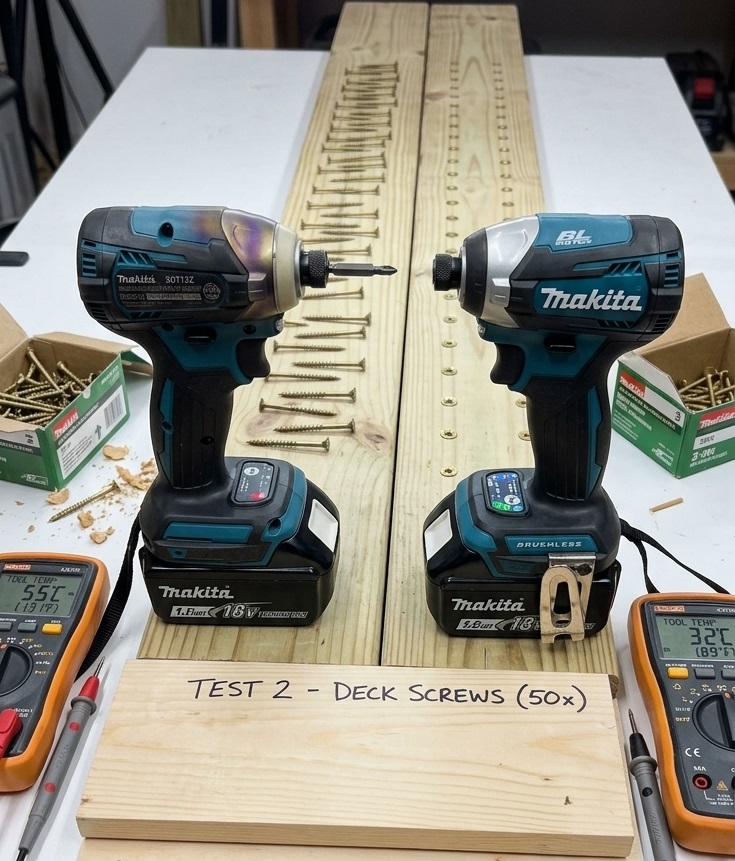
50 deck screws, 3 inches long, into doubled 2×6 lumber. No breaks. Same battery charge on both. This test isn’t just about power — it’s about which driver holds up when you’re building a full deck and can’t stop every 20 screws to cool down.
XDT13Z made it through all 50 but it started showing its limits around screw 35. It only has one drive mode so it runs at full blast every single screw — no way to dial it back. That means the motor and battery are working harder than they need to the whole time. By the end, the tool was noticeably warm in my hand. It finished the job, but it felt like it was running a sprint the whole time instead of pacing itself.
XDT14Z handled this test like it was nothing. The Quick-Shift Mode is the reason — it automatically reads what the screw needs and adjusts speed and torque on the fly. So instead of hammering at full power for all 50 screws, it works smarter. It stayed cooler, the battery drained slower, and my hand wasn’t as tired at the end. Screw 50 felt almost the same as screw 1.
The real difference here isn’t just power — it’s efficiency. The XDT13Z wastes energy. The XDT14Z saves it.
Winner: XDT14Z — Cooler, smarter, and your battery will last longer on a big job. If you’re doing any serious volume of screws, this matters a lot.
Got enough to work with.
Test 3 — Stripped Screw Resistance (Precision Control)
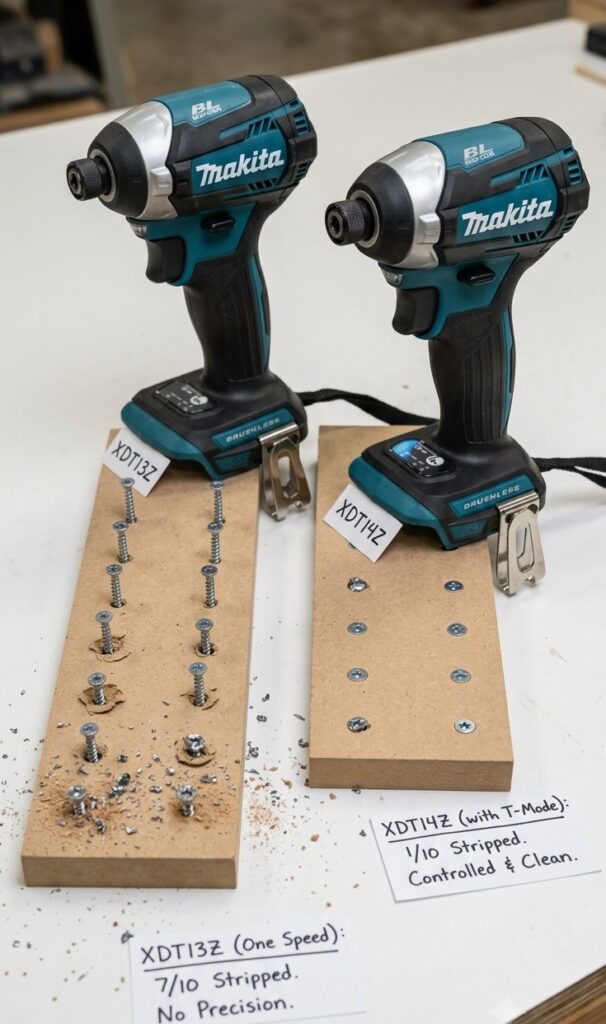
This is the test where the XDT13Z got embarrassed. And honestly, I wasn’t surprised once I understood why.
I set up two pieces of MDF and a box of #8 fine-thread drywall screws. The goal: drive at full speed and see how many I can strip. Then switch to the XDT14Z’s T-Mode and try the same thing.
XDT13Z first. One speed, full blast, no mercy. MDF is sneaky — it looks soft but it absolutely destroys screws if you overdrive them. The XDT13Z hit full depth and just kept going. No slowdown, no warning, nothing. Out of 10 screws I drove intentionally hard, 7 of them were either stripped heads or sunken way past flush — the kind of damage where you’ve basically chewed up the MDF and the screw is now useless. Even when I tried to be careful with the trigger, one slip and it was over. Without a tightening mode, you’re basically arm-wrestling the tool the whole time.
XDT14Z with T-Mode was a completely different experience. T-Mode starts fast — drives the screw down quickly — then automatically slows way down right before it hits full depth. It’s like the tool senses the screw is almost home and backs off. Out of 10 screws driven the same aggressive way, I stripped maybe 1. The rest sat perfectly flush. Clean, controlled, exactly where I wanted them.
Here’s the brutal honest truth — if you’re doing any kind of finish work, cabinet work, or drywall, the XDT13Z will cost you material. It’s a blunt instrument. Great for rough framing where nothing needs to be pretty. But the moment precision matters, it lets you down.
Winner: XDT14Z — and it’s not even close. T-Mode alone is worth the price difference if you care about not ruining your work.
Test 4 — Tight Space & Fatigue (Ergonomics Under Load)
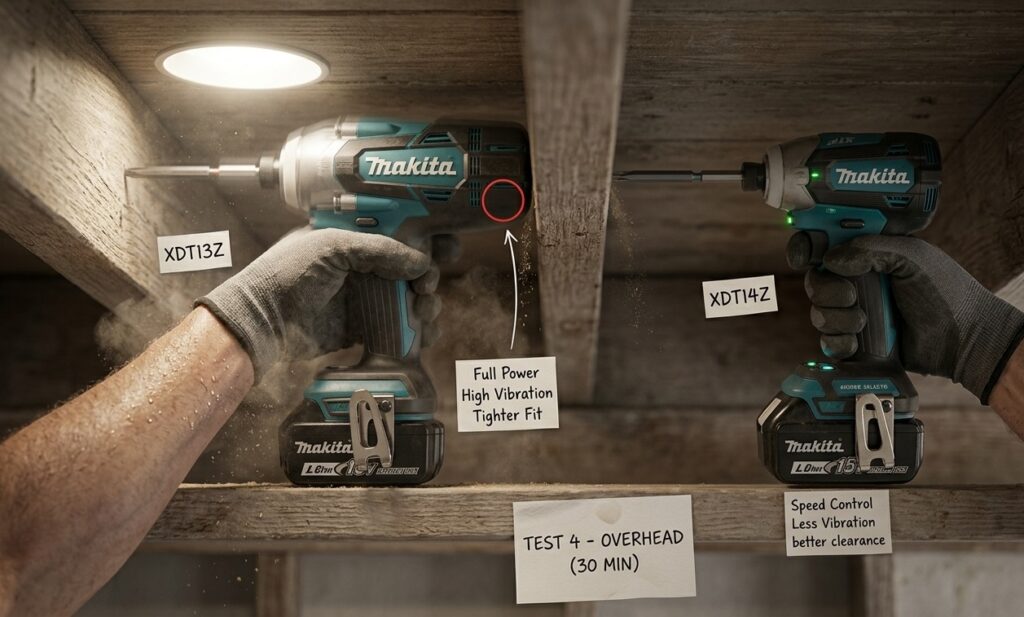
30 minutes. Arms raised. Overhead framing. Switching every 5 minutes. This test sounds simple but by minute 20 your shoulders are screaming and suddenly every little thing about a tool starts to matter.
Here’s what I noticed fast — on paper these two tools look almost identical in weight. The XDT13Z is 2.08 lbs bare, the XDT14Z is 1.98 lbs. A tenth of a pound difference. Who cares, right?
You care. After 30 minutes overhead, you definitely care.
The XDT13Z is 5 inches long. That extra 3/8 of an inch over the XDT14Z doesn’t sound like anything until you’re trying to squeeze into tight framing bays with your arm already above your head. I kept catching the back of the tool on the joist next to me. Also — and this surprised me — because it only has one drive mode, it fires at full blast every single time. Overhead, at an awkward angle, that full-power impact vibration travels right up your wrist. By the end of my 5-minute stints with this one, my forearm felt it.
The XDT14Z sits at 4-5/8 inches. Slightly shorter, slightly lighter, and that combination with the 3-speed control made a real difference up top. I dropped it to medium speed for the overhead work — enough power to drive the screws but with way less vibration punching back into my hand. The rubberized grip also held better when my palms started sweating around minute 15.
The honest truth — neither tool is bad overhead. But one of them lets you choose how hard it hits, and that’s what saves your arm over a long session.
Winner: XDT14Z — Shorter, slightly lighter, and the speed control means you’re not fighting full-power vibration for 30 minutes straight.
Test 5 — Speed Mode Control (Delicate Material)
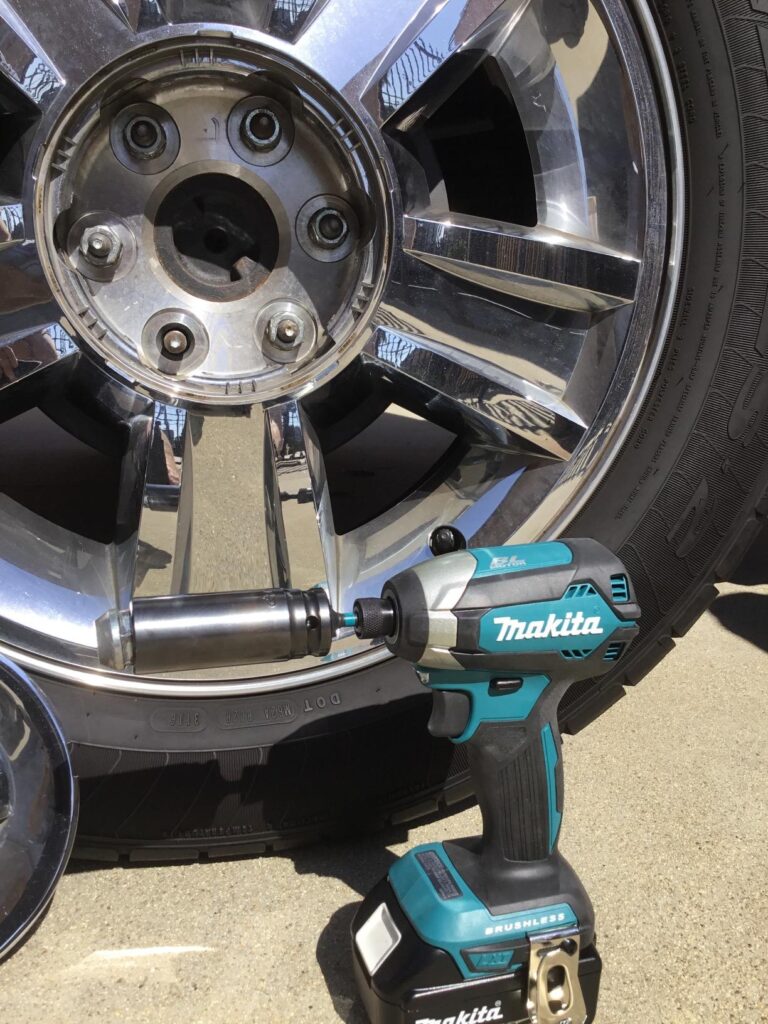
This is where I expected the gap to be small. It wasn’t.
The setup: quarter-inch plywood and MDF, #6 × 1-1/4″ screws, goal is flush every time without punching through or crushing the surface. These are the kinds of screws you’d use for cabinet backs, drawer bottoms, thin panels — stuff where one slip ruins the whole piece.
XDT13Z with variable trigger only. This is basically the only weapon it has for delicate work — feather the trigger and hope for the best. The problem is that at its lowest speed it’s still running up to 3,400 RPM when you squeeze even a little too hard. There’s no hard ceiling. I blew through the surface on 4 out of 10 screws — full countersink, plywood crushed around the head. The other 6 I got flush, but I was concentrating so hard on trigger pressure that it felt like defusing a bomb. Not a natural way to work. One moment of distraction and the screw disappears into the material.
XDT14Z on Speed 1 is a completely different experience. Speed 1 is capped at 1,100 RPM. You pull the trigger and the tool just… doesn’t go crazy. It drives at a calm, controlled pace and practically stops itself when the screw seats. I drove all 10 screws flush without a single blowout. Didn’t even have to think about it. The difference is that Speed 1 puts a hard limit on how fast the motor spins — the trigger feathering on the XDT13Z is just you trying to manually recreate that same ceiling with your finger, and humans aren’t that precise.
One reviewer summed it up perfectly — the XDT13Z’s variable trigger works well enough that the speed modes won’t matter if you don’t specifically need them. But the second you’re working on anything thin or delicate, you absolutely need them.
Winner: XDT14Z — no contest. If you do any cabinet work, furniture, or finish carpentry, this test alone should make your decision for you.
So Which One Should You Actually Buy?
Current Price: $136 On Amazon
The smarter all-rounder. 1,550 in-lbs torque, 3 speed modes + T-Mode + Quick-Shift, 4-5/8" compact body. The one tool that handles everything from lag bolts to cabinet screws.
Buy the XDT13Z if you’re doing rough work only — framing, decking, driving lag bolts into lumber where nothing needs to be pretty. It’s cheaper, it’s powerful enough, and for that specific job it won’t let you down.
But if you’re doing anything beyond that — cabinet work, drywall, finish carpentry, thin panels, long sessions, overhead work — the XDT13Z will frustrate you. Not because it’s a bad tool. But because it only has one gear, and the real world needs more than one gear.
The XDT14Z is the tool you buy once and never think about again. It handled every single test better. It drove lag bolts, survived 50 screws back to back, saved material, saved my arm, and never once made me fight it. That’s what a good tool feels like.
The price difference between these two is around $40-50. Over the life of a tool you’ll use for years, that’s nothing.
Final Verdict
Final Verdict
After 20 days and 5 brutal tests, here’s the truth nobody tells you: the XDT13Z and XDT14Z are not really competing against each other. They’re built for two different types of people who just happen to be shopping in the same aisle.
The XDT13Z is a workhorse with one setting — full send. It drove every lag bolt, finished every test, and never broke down. If I’m framing a wall or building a rough deck where speed matters and precision doesn’t, I’d grab it without hesitation. It earns its price tag completely.
But the XDT14Z showed me something the XDT13Z simply can’t — it showed me what it feels like when a tool thinks. The Quick-Shift Mode adjusting on the fly, Speed 1 saving my plywood, T-Mode protecting my screws, the slightly shorter body saving my knuckles in tight framing bays — none of these are gimmicks. Every single feature showed up when it mattered during real testing.
Here’s what actually shocked me: I went into this thinking the XDT13Z would be the “smart budget buy” and the XDT14Z would be the “nice but unnecessary upgrade.” I came out thinking the opposite. The XDT13Z is the tool you buy when budget is the only thing on your mind. The XDT14Z is the tool you buy when you actually respect your time, your materials, and your work.
Related Articles:
FAQs
Q: Is the XDT14Z worth the extra money over the XDT13Z?
Yes — if you do anything beyond basic rough framing. The speed modes, T-Mode, and Quick-Shift alone justify the price difference on your first finish job.
Q: Can the XDT13Z handle lag bolts?
Yes, but it struggles on sustained heavy work. It finished our lag bolt test but was clearly near its limit by bolt 7. The XDT14Z handled the same test without breaking a sweat.
Q: Which one is better for beginners?
XDT14Z. The low speed mode and T-Mode make it much harder to strip screws or blow through material — which is exactly what beginners do most.
Q: Do these come with batteries?
No. Both are bare tools. You’ll need a Makita 18V LXT battery separately. If you’re starting fresh, grab the kit version.
Q: Which one is better for cabinet work and furniture?
XDT14Z — not even close. Speed 1 at 1,100 RPM gives you the control that thin wood and fine screws demand. The XDT13Z will damage your material.