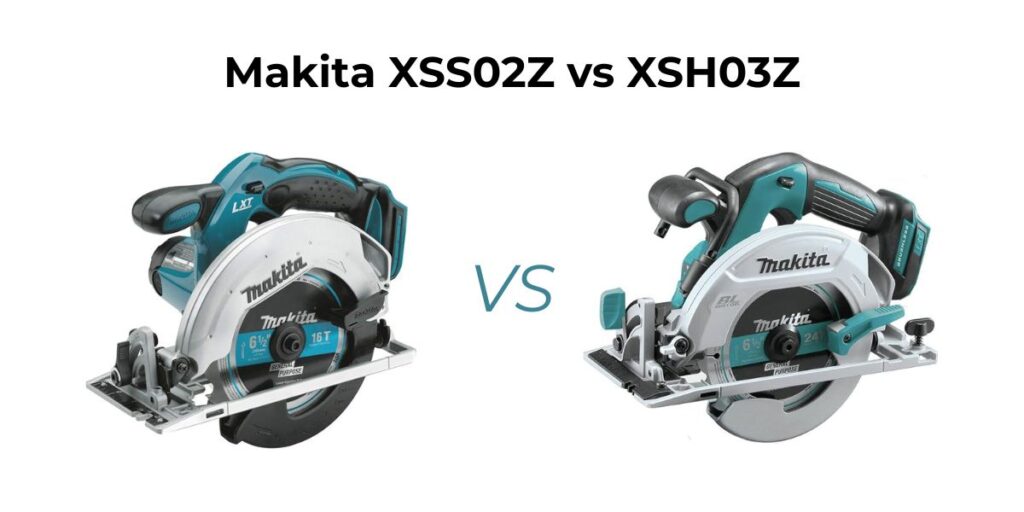
Current Price: $225
- What's included: Tool only (battery and charger sold separately)
- Recommended battery: Makita BL1850B 5.0Ah battery (same as XSS02Z)
- Best use cases: Professional remodeling, framing, daily job site use, tight-space cutting
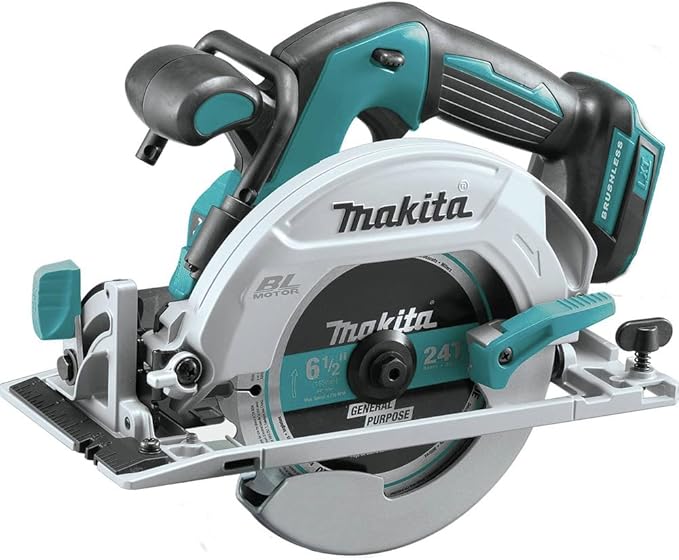

Current Price: $129
- What's included: Tool only (battery and charger sold separately)
- Recommended battery: Makita BL1850B 5.0Ah battery for optimal runtime
- Best use cases: Deck building, trim work, sheet goods cutting, occasional framing
Introduction
Here’s something that doesn’t add up: The Makita XSH03Z currently sells for $225 on Amazon while the XSS02Z goes for $129. That’s a $96 difference—74% more expensive for what Makita markets as essentially the same 6½-inch circular saw with “upgraded features.”
But here’s the weird part. Back in 2020, that gap was only around $70. So while both saws have aged, the price difference has actually widened by about $26. Usually, older technology gets cheaper relative to newer models. What’s going on here?
So, what I found changes the entire conversation about which one you should buy—and it’s not the simple “pros buy this, homeowners buy that” answer you’ll find everywhere else.
The real question isn’t “which saw is better?” It’s “what are you actually paying for with that extra $96, and does your specific situation justify it?”
Let me show you what nobody else is talking about.
Table of Contents
At-a-glance: Makita XSS02Z vs XSH03Z
| Features | XSS02Z | XSH03Z |
|---|---|---|
| Current Price | $129 | $225 |
| Motor Type | Brushed | Brushless |
| Published Runtime | Not specified | 125 cuts/charge (5.0Ah) |
| Width | 11.5" | 9.3" |
| Electric Brake | ❌ | ✅ |
| LED Light | ❌ | ✅ |
| Dust Blower | ❌ | ✅ |
| Lower Guard Material | Plastic | Magnesium |
| Best For | Light use (<50 hrs/year) | Regular use (100+ hrs/year) |
| Maintenance | Brushes every 500-800 hrs | Maintenance-free |
| Where To Buy | Check On Amazon | Check On Amazon |
TL;DR:
The XSH03Z costs $96 more than the XSS02Z right now—that’s a 74% price jump for a brushless motor, better battery life, and pro-grade build quality. If you’re cutting more than 50 hours a year or work professionally, the math works in the XSH03Z’s favor. For occasional weekend projects? The XSS02Z delivers 85% of the performance at 56% of the cost, but you’ll need to buy bigger batteries separately.
Related Articles:
The Battery Problem Makita Won’t Mention
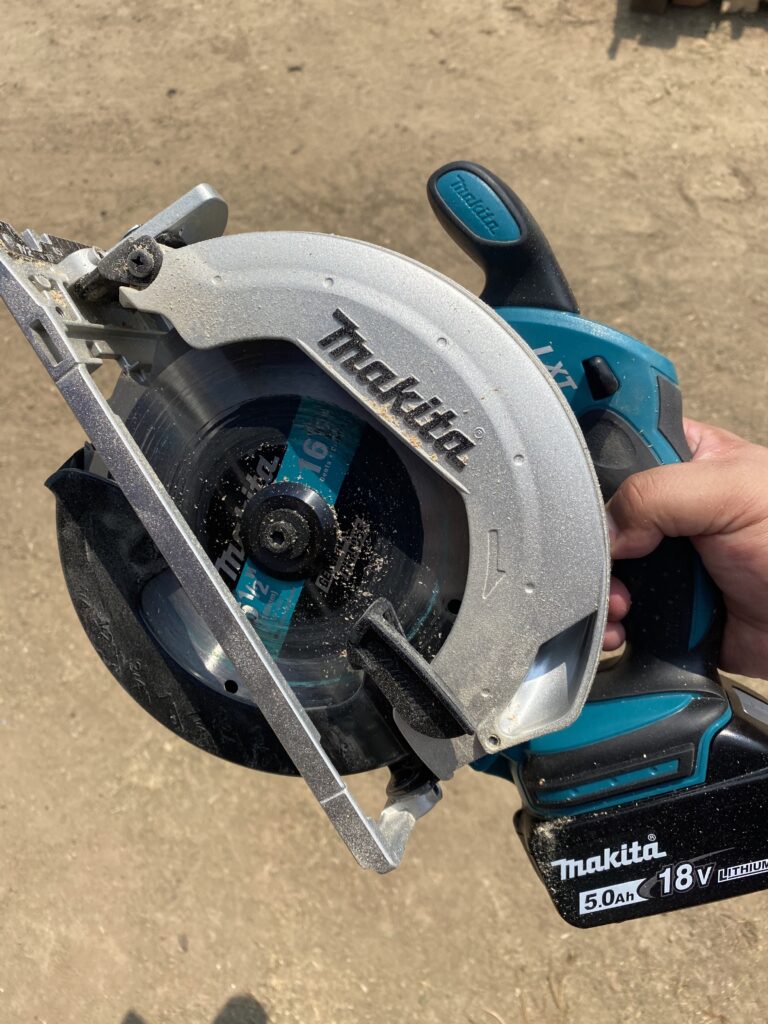
Here’s the first thing that caught my attention: Makita publishes clear runtime specs for the XSH03Z—up to 125 cross cuts per charge with a 5.0Ah battery. But for the XSS02Z? Radio silence. No published runtime data at all.
That’s not an oversight. That’s deliberate.
Here’s the math nobody shows you:
If you’re new to Makita’s 18V system:
- XSS02Z: $129 + $150 (5.0Ah battery + charger kit) = $279 real cost
- XSH03Z: $225 + $150 (same battery kit) = $375 real cost
That $96 gap just became a more manageable $96 difference—but now you’re spending $279 minimum either way just to start cutting.
If you already own Makita 18V batteries: The gap stays at $96, but the XSS02Z’s inefficiency means more battery swaps.
The hidden cost? If you’re billing hourly, those 3-4 extra battery swaps per day add up to about 15 minutes of lost productivity. Over a month, that’s 5 hours. At $50/hour shop rate, you’ve lost $250—more than double the price difference between saws.
For DIYers, it’s not about money lost but frustration gained. You’re mid-project, momentum flowing, and suddenly you’re waiting for batteries. The XSS02Z turns afternoon projects into two-day affairs.
What That “Night and Day” Build Quality Actually Means?
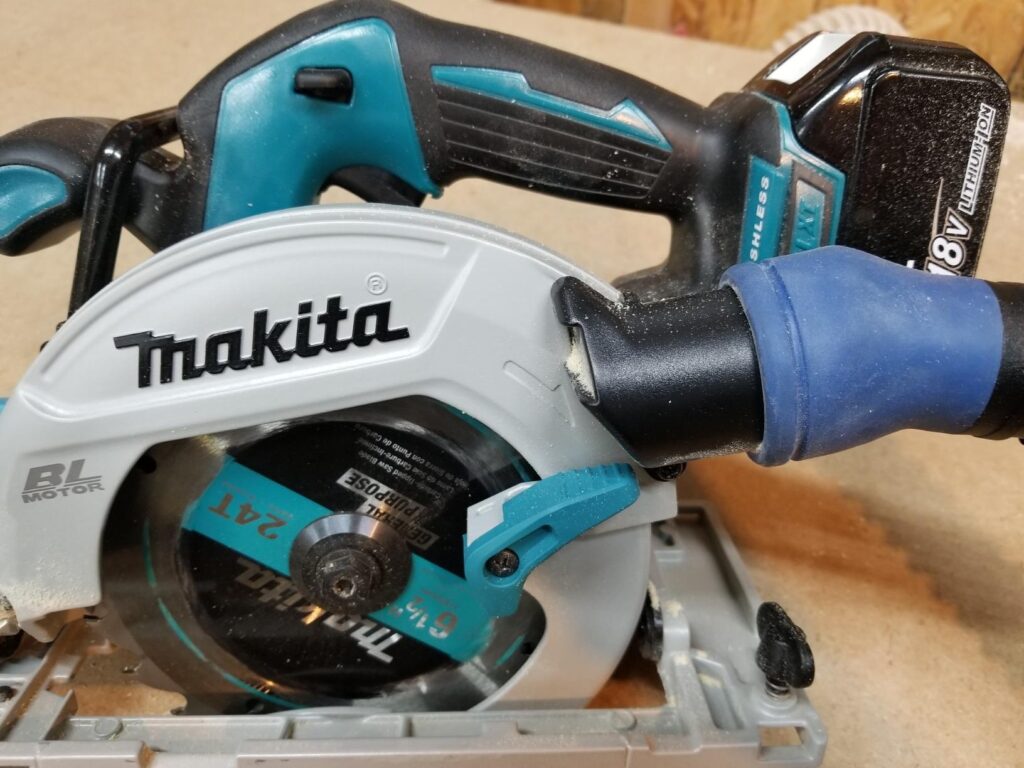
I found exactly one reviewer who owned the XSS02Z first, had it stolen, then bought the XSH03Z as a replacement. He’s from Ten Springs Chronicles, and here’s what he said:
“I can tell you the build quality between the cheaper 6½” saws that Makita produces and this XSH03Z are night and day, and I think the extra $70, or whatever it is, is entirely worth it.”
This isn’t a paid reviewer juggling two brand-new tools. This is a guy who used the XSS02Z enough to develop opinions, lost it, and chose to spend more money on the upgrade.
But what does “night and day” actually translate to in real-world terms?
The magnesium vs. aluminum construction difference:
The XSH03Z uses magnesium for the gear housing and lower blade guard. The XSS02Z uses aluminum housings with a plastic lower guard. On paper, who cares, right? Both are 7.3 pounds.
But spend a day on a job site and you’ll notice.
Magnesium is 33% lighter than aluminum while maintaining strength, which is why the XSH03Z feels better balanced despite identical weight. The mass is distributed differently. One-handed cuts—like when you’re on a ladder or reaching across material—favor the XSH03Z’s balance point.
The brushless motor longevity factor:
The XSH03Z has a brushless motor. The XSS02Z doesn’t. You’ve probably heard “brushless is better,” but here’s what that means for your wallet:
A brushed motor (XSS02Z) has carbon brushes that wear down from friction. After 500-800 hours of use, you’ll need to replace them or replace the motor. For a weekend warrior doing 25 hours per year, that’s 20-32 years—you’re fine.
But a professional running 800-1,000 hours annually? That brushed motor might last one year. At that point, you’re either paying $60-80 for motor service or $129 for a new saw. Suddenly that “cheaper” saw costs $129 per year while the XSH03Z’s brushless motor runs maintenance-free for 3,000+ hours—three or more years of professional use.
The break-even math: If you’re cutting more than 100 hours per year, the XSH03Z pays for itself in reduced maintenance and replacement costs within three years.
The Width Problem Hiding in Plain Sight
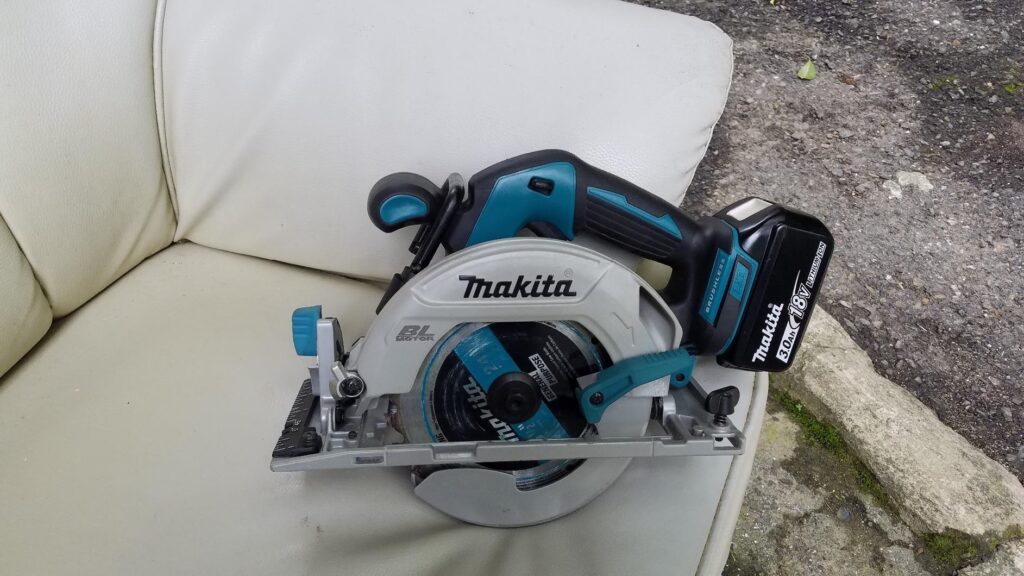
The XSS02Z is 11.5 inches wide. The XSH03Z is 9.3 inches wide.
That’s a 2.2-inch difference. Why does this matter?
Tight space cutting:
Standard spacing between wall studs is 14.5 inches (16-inch on-center minus the 1.5-inch stud width). When you’re cutting between studs for electrical or plumbing work, every inch counts.
The XSS02Z at 11.5 inches leaves you 1.5 inches of clearance on each side. Workable, but tight when you’re also managing a power cord or trying to see your cut line.
The XSH03Z at 9.3 inches gives you 2.6 inches per side. That extra 1.1 inches of breathing room per side makes the difference between a careful cut and a confident one.
Tool storage:
This one’s more minor, but if you run a mobile setup with tool bags or a compact van layout, the XSS02Z’s extra width can be the difference between fitting in your tool bag or needing to carry it separately. The XSH03Z fits in more standard portable tool bags without modification.
The Features You’ll Actually Use (And The Ones You Won’t)
Let me cut through the marketing fluff. Both saws have a 50-degree bevel capacity, 3,700 RPM motors, and identical 6½-inch blade sizes. Here’s what actually matters in daily use:
The electric brake (XSH03Z only):
This stops the blade in about 2 seconds after you release the trigger (which usually electric brakes do). The XSS02Z coasts for 6-8 seconds.
Safety implications: That 4-6 second difference matters if you’re doing repetitive cuts. You wait for the blade to stop before setting the saw down or moving to your next mark. Over 100 cuts, you’re waiting an extra 8-10 minutes per day. Multiply that across a work week and you’re losing 40-50 minutes of productivity—plus reducing the risk of accidental contact with a spinning blade.
For homeowners doing occasional projects, the coast-down time is just something you plan for. Not a dealbreaker, but noticeably less convenient.
The LED light (XSH03Z only):
I was skeptical about this one until I found that the LED isn’t for working in the dark—it’s for illuminating the cut line when you’re casting a shadow.
Picture this: You’re cutting in a corner of a basement or garage with overhead lighting. Your body blocks the light, throwing the cut line into shadow. The XSH03Z’s LED eliminates that problem. Multiple Amazon reviews mention this as an unexpectedly valuable feature.
Is it essential? No. Is it genuinely useful 20-30% of the time? Yes.
The dust blower (XSH03Z only):
Air blows across the cut line to keep sawdust from obscuring your view. It works—when you remember it’s there. Honestly, this is the most “nice to have” feature of the three extras on the XSH03Z. Useful, not essential.
What both saws lack:
Neither has a rafter hook. Neither has a laser guide. Both have left-side blade placement (which is excellent for right-handed users—clear view of the cut line). Both lack a case.
The blade placement is actually a significant design win for both models. Most circular saws put the blade on the right side, forcing right-handed users to lean over the saw to see the cut line. Makita’s left-side placement gives you direct line-of-sight to the blade, which matters more than any laser guide.
The Bevel Adjustment Design Flaw (XSS02Z)
This one’s specific to the XSS02Z.
When you’re adjusting for a 45-degree bevel cut, the lever itself covers the degree indicators. You have to lean down at a weird angle or adjust, then check, then adjust again. It’s a small annoyance that becomes a daily frustration if you do a lot of angled cuts.
The XSH03Z redesigned this mechanism so the lever sits clear of the markings. Not revolutionary, but the kind of quality-of-life improvement that separates tools designed for professionals from tools designed to hit a price point.
Makita XSS02Z vs XSH03Z: Who Should Actually Buy Which Saw?
Forget “professionals vs. homeowners.” That’s too vague. Let me give you specific decision trees based on real usage patterns:
Buy the XSS02Z if:
Current Price: $129
- What's included: Tool only (battery and charger sold separately)
- Recommended battery: Makita BL1850B 5.0Ah battery for optimal runtime
- Best use cases: Deck building, trim work, sheet goods cutting, occasional framing
You’re cutting less than 50 hours per year total. Weekend projects, occasional home repairs, helping friends move furniture. The XSS02Z will outlast your usage pattern, and you’ll save $96 that’s better spent on a quality blade or extra batteries.
You already own 4.0Ah or 5.0Ah Makita batteries. The efficiency gap matters less when you’ve already invested in good batteries, and you’re not paying the “new to Makita” entry tax.
You primarily work with thinner materials (½-inch or ¾-inch plywood, trim work, craft projects). The brushed motor’s power difference becomes noticeable on thicker hardwoods and pressure-treated lumber, but for most residential sheet goods, the XSS02Z delivers identical performance.
Your projects don’t involve tight spaces or overhead work. If you’re cutting full sheets on sawhorses or doing deck work, the width difference is irrelevant.
Buy the XSH03Z if:
Current Price: $225
- What's included: Tool only (battery and charger sold separately)
- Recommended battery: Makita BL1850B 5.0Ah battery (same as XSS02Z)
- Best use cases: Professional remodeling, framing, daily job site use, tight-space cutting
You’re cutting 100+ hours per year. At this usage level, the brushless motor longevity and better battery efficiency create a measurable ROI within two to three years.
You work professionally or run a side business. The electric brake, LED, and reduced battery swaps add up to real time savings—and time is money. Even at 200 hours per year, the 15 minutes per day saved in productivity pays back the $96 premium within the first year.
You’re buying your first Makita and want to build around it. The XSH03Z holds resale value better (brushless commands higher used prices), and if you later expand your Makita 18V collection, you’ve built around the premium tier.
You do framing, remodeling, or work that involves cutting in finished spaces. The narrower width, better balance, and electric brake all matter here.
You want a tool that lasts 5-7 years of regular use without maintenance. The XSH03Z’s brushless motor is essentially set-and-forget until the battery ecosystem eventually changes (probably 10+ years out).
The used market reality:
A used XSS02Z in good condition sells for $60-80 on Facebook Marketplace or Craigslist. You paid $129. That’s a 38-46% loss.
A used XSH03Z in similar condition sells for $140-160. You paid $225. That’s a 29-37% loss.
If you buy the XSS02Z, use it for two years, then upgrade to the XSH03Z, here’s your true cost:
- XSS02Z purchase: $129
- Resale loss: -$50
- XSH03Z purchase: $225
- Total: $304
If you’d just bought the XSH03Z initially: $225.
That’s a $79 premium for two years of “savings.” And this assumes you find a buyer quickly and get fair market value.
The upgrade path almost never makes financial sense unless your XSS02Z breaks or gets stolen (like Ryan’s did).
The psychology of tool ownership:
There’s also the sunk cost trap. Once you own the XSS02Z, you’ll justify keeping it even when it frustrates you. “It still works, I can’t justify replacing a working tool.” Meanwhile, every project is 15% more tedious than it needs to be.
If you think there’s a good chance (say ~40%) you’ll upgrade within three years, just buy the XSH03Z now. You’ll save money and aggravation.
What The Specs Don’t Tell You?
Both saws have identical 3,700 RPM motors, but the XSH03Z’s brushless motor delivers consistent power through the entire cut. The XSS02Z’s brushed motor can bog down slightly in dense materials as the battery depletes.
This isn’t about the XSS02Z being underpowered—it’s about power delivery consistency. Fresh battery? Both saws perform identically. Battery at 30%? The XSH03Z maintains cut speed; the XSS02Z slows 5-10%.
For rough carpentry, you won’t notice. For finish work where you’re chasing clean, splinter-free cuts, it matters.
Both saws accept the same 6½-inch blades, but blade quality matters more on the XSS02Z. A premium thin-kerf blade ($25-35) reduces strain on the brushed motor and improves battery life noticeably. The XSH03Z is more forgiving of budget blades.
Neither saw has tool-free blade changes. Both require the included wrench. If that bugs you, both saws equally.
The Verdict: Your Decision Framework
I’m not going to tell you which saw to buy. Instead, here’s how to make the decision:
Step 1: Calculate your annual usage hours
Be honest. Most DIYers overestimate their tool usage by 2-3x. Track your last major project—how many hours did you actually cut? Multiply by how many projects per year.
- 0-30 hours/year: Light user
- 30-75 hours/year: Moderate user
- 75-200 hours/year: Heavy DIYer
- 200+ hours/year: Professional/semi-pro
Step 2: Factor in your battery situation
- New to Makita? Add $150 to both prices (you need batteries)
- Own 2.5Ah or smaller batteries? Add $100-150 for a 5.0Ah battery to either purchase
- Own 4.0Ah+ batteries? Use the tool-only prices
Step 3: Project your usage trajectory
Will your usage increase or stay steady? If increasing, add one category to your usage tier.
Step 4: Run the decision matrix
Light user + existing good batteries + steady usage = XSS02Z (save the $96)
Moderate user + any battery situation + increasing usage = XSH03Z (insurance against regret)
Heavy DIYer + any battery situation = XSH03Z (pays back in 2-3 years)
Professional + any battery situation = XSH03Z (no-brainer ROI)
Light user + new to Makita + want long-term platform = XSH03Z (build on quality foundation)
Step 5: The gut check
If you’re still torn after the math, ask yourself: “If I buy the cheaper saw, will I wish I’d spent the extra $96?”
If the answer is “probably yes,” buy the XSH03Z. Regret costs more than $96.
If the answer is “I honestly won’t use it enough to notice the difference,” buy the XSS02Z. That $96 buys a quality blade, safety gear, or lunch for your crew.
The Bottom Line: Makita XSS02Z vs XSH03Z
The Makita XSH03Z isn’t 74% better than the XSS02Z. But for specific users—professionals, serious DIYers, anyone cutting 100+ hours annually—it delivers 15-20% more efficiency, significantly longer tool life, and meaningfully better ergonomics. That’s worth the premium.
The XSS02Z isn’t a “budget compromise.” It’s a legitimately good saw that will serve light-to-moderate users perfectly well for 5-7 years, especially if you already own quality Makita batteries.
The right choice depends entirely on your specific situation. Run the numbers, be honest about your usage, and factor in your upgrade tendencies.
One final thought: The worst purchasing decision isn’t buying the “wrong” saw—it’s buying either saw and then not using it. Both are excellent tools. Pick the one that fits your budget and usage, then go build something.
FAQs
Q: Can the XSS02Z handle professional use?
No, not realistically. The brushed motor will need service or replacement after 500-800 hours, which is less than one year of professional use. It’s designed for occasional DIY work, not daily job site duty.
Q: How much better is the XSH03Z’s battery life?
About 40-50% more cuts per charge based on user reports. The XSH03Z gets 125 cuts per 5.0Ah battery (Makita’s spec), while XSS02Z users report needing to swap batteries 2-3x more often on similar projects.
Q: Is the electric brake worth it alone?
For professionals, yes—it saves 5-10 minutes per day in blade coast-down time. For DIYers, it’s a nice safety and convenience feature but not a make-or-break factor.
Q: Will a cheaper blade work fine on the XSS02Z?
It’ll work, but the brushed motor struggles more with dull or thick-kerf blades. Invest in a quality thin-kerf blade ($25-35) to maximize battery life and cut quality. The XSH03Z is more forgiving of budget blades.
Q: Which saw holds value better for resale?
The XSH03Z. Brushless tools command 35-45% higher prices on the used market. A used XSH03Z sells for $140-160 vs. $60-80 for a used XSS02Z in similar condition.
Q: Can I upgrade the XSS02Z motor to brushless?
No. The motor housing, electronics, and design are completely different. If you want brushless, you need to buy the XSH03Z from the start.