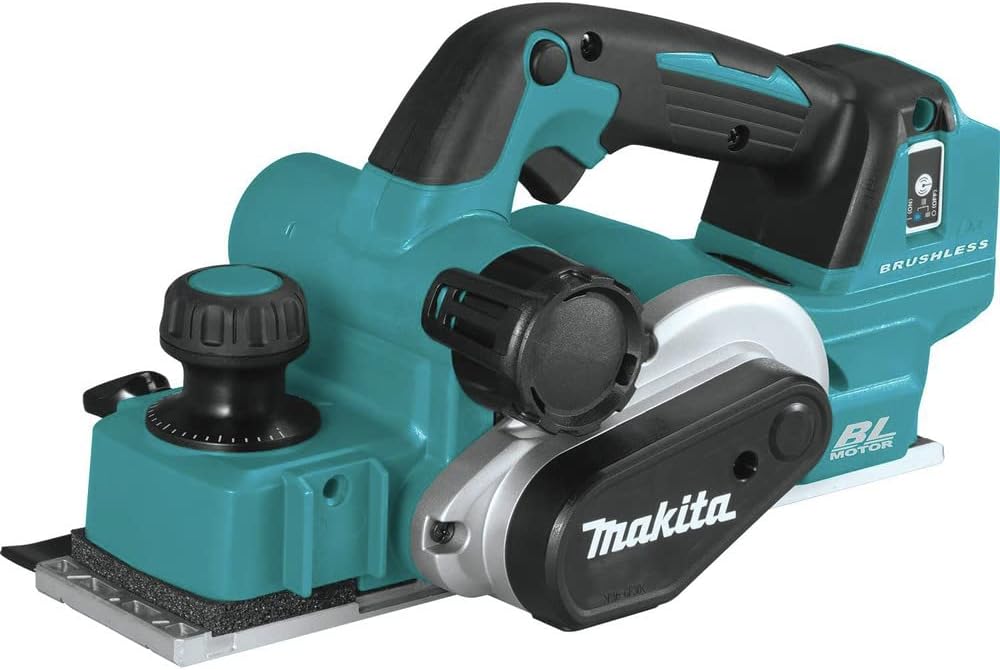
Current Price: $329
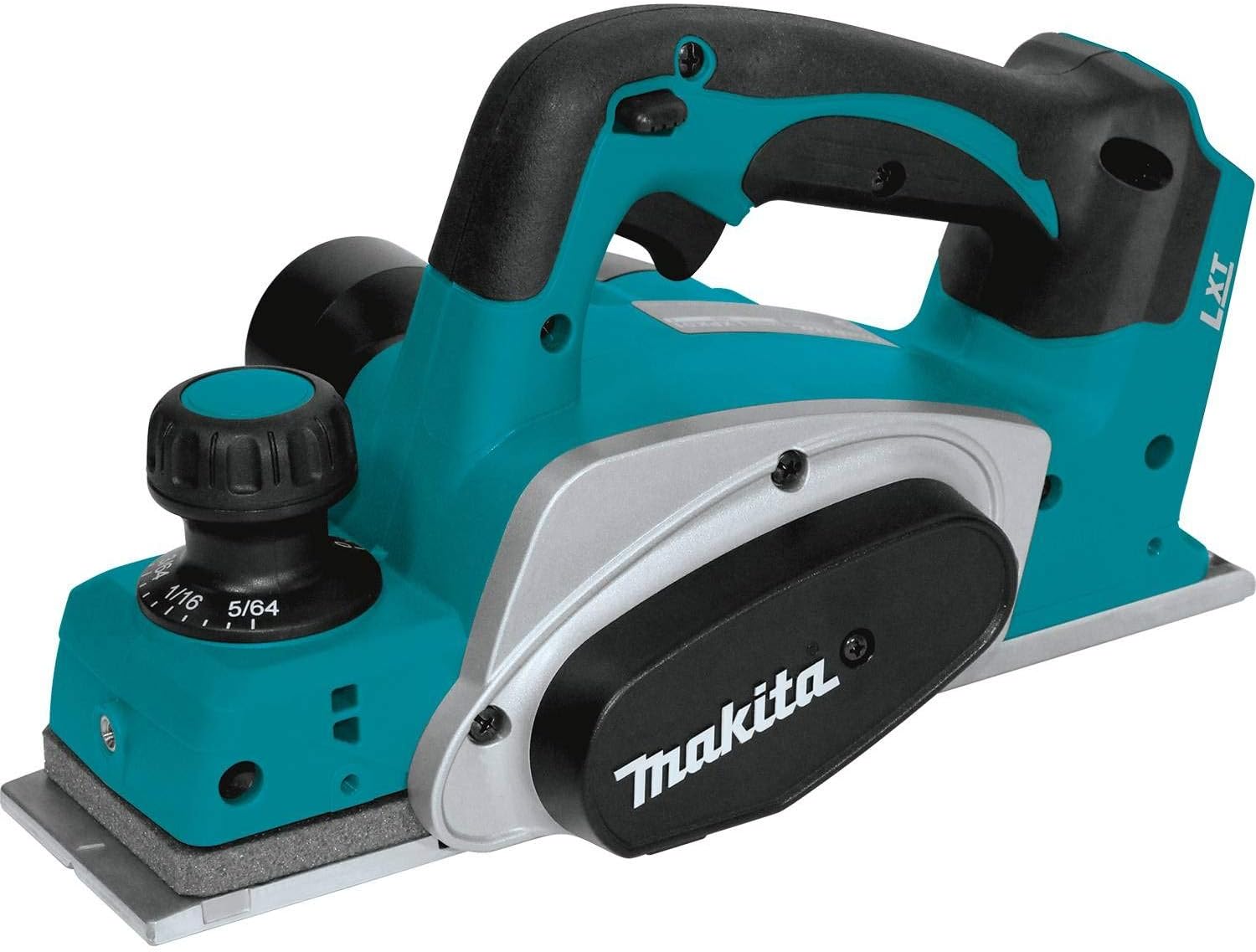
- 3-1/4" planing width
- 12,000 RPM
- Brushless motor
- AWS capable
- Dual dust ports
- Three chamfer grooves

Current Price: $229
- 3-1/4" planing width
- 14,000 RPM
- Brushed motor
- Single dust port
Introduction
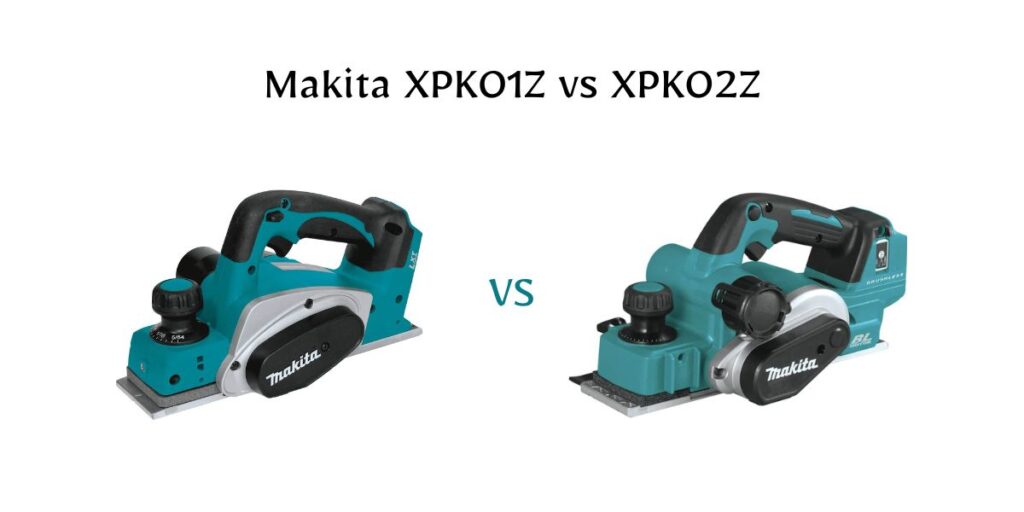
The XPK01Z costs $229 on Amazon. The XPK02Z costs $329. That’s a $100 gap—43% more money for what Makita calls their “upgraded” brushless model.
But here’s what makes this comparison frustrating: nobody’s actually explaining where that $100 goes. Everyone lists the same specs, mentions “brushless motor,” and calls it a day. Meanwhile, you’re left wondering if you’re about to waste money or cheap out on something you’ll regret.
Let’s fix that. Because after digging into the actual differences, talking to users, and cutting through the marketing speak, the answer isn’t what you’d expect.
Table of Contents
TL;DR
The XPK02Z ($329) offers brushless motor longevity and three chamfer grooves, but its AWS feature needs $250+ extra investment most users skip. The XPK01Z ($229) delivers the same core planing performance at 43% less cost.
Related Articles:
| Features | XPK01Z ($229) | XPK02Z ($329) |
|---|---|---|
| Motor Type | Brushed | Brushless |
| RPM | 14,000 | 12,000 |
| Max Depth | 5/64" (0.078") | 1/8" (0.125") |
| Chamfer Grooves | 1 | 3 (Small, Medium, Large) |
| Dust Ports | Single-side | Dual-side |
| AWS Compatible | No | Yes (requires $50+ transmitter) |
| Weight | 7.4 lbs | 7.8 lbs |
| Maintenance | Brush replacement every 50-100 hrs | Zero maintenance |
| Best For | Occasional use, budget-conscious | Professional/heavy use, finish work |
| Where To Buy | Check On Amazon | Check On Amazon |
At-a-glance: Makita XPK01Z vs XPK02Z
Why the Specs Are Lying to You?
Look up the XPK01Z’s RPM online and you’ll find something bizarre: half the retailers say 14,000 RPM, some retailers list 14,000 RPM, while Makita’s own listings and manuals say 15,000 RPM.
The XPK02Z? A consistent 12,000 RPM everywhere.
So the older, cheaper model spins faster than the newer, premium one? That doesn’t make sense—until you understand what those numbers actually mean.
RPM measures how fast the cutter spins with nothing touching it — no-load speed — but a brushed motor will often slow under load as resistance rises, while brushless tools with electronic control can compensate to keep cutting speed steady. The XPK01Z’s brushed motor hits resistance and starts slowing down. You push harder. The motor works harder. Heat builds up. Performance drops.
The XPK02Z’s brushless motor does something different. It has what Makita calls “Automatic Speed Change” technology—which is just a fancy way of saying it reads the load and adjusts power delivery to maintain consistent cutting speed. When you plane through a knot or dense grain, the motor compensates instantly. You’re not fighting the tool, and the tool isn’t fighting physics.
That’s why users consistently report that the XPK02Z feels smoother and more controlled, even though it’s technically spinning slower. The spec sheet shows 12,000 RPM, but the real-world performance tells a different story.
The AWS Feature Nobody Actually Uses
Here’s where the $100 price difference gets interesting—and where Makita’s marketing falls apart.
The XPK02Z is “AWS Capable.” That stands for Auto-Start Wireless, which sounds impressive until you realize what it actually requires.
To actually enable AWS you need the Auto-Start Wireless transmitter (Makita part 198901-5) — retailers currently list that module around $90–$100. Then you need a compatible Makita vacuum—we’re talking $200 to $400 depending on the model. So your “AWS-capable” planer just became a $550 to $750 investment in dust collection.
Now, dust collection on a planer matters. But the XPK02Z has dual dust ports. You can hook up a shop vac to either side. The XPK01Z has a single-side dust port. You can also hook up a shop vac to it.
According to discussions in woodworking communities somewhere between 20-30% of XPK02Z buyers actually end up using the AWS feature. The rest bought it, assumed they’d use it eventually, and then just… never spent the extra $250+ to make it functional.
You’re paying $100 more for a feature that requires an additional $250-450 investment to actually work, and most people never activate it. That’s not an upgrade. That’s an upsell.
The dual dust ports on the XPK02Z are legitimately useful—you can switch sides depending on your work position without repositioning the vacuum hose. But you’re not paying $100 for dual ports. You’re paying for AWS capability you’ll probably never use.
The Depth Problem Makita Won’t Talk About
Makita’s specs say the XPK01Z planes up to 5/64 of an inch deep. The XPK02Z planes up to 1/8 of an inch. That’s 60% deeper, which sounds like a significant upgrade.
But look at the actual depth adjustment knob on the XPK02Z. The scale goes from 0 to 7/64 of an inch—not 1/8. To plane the full 1/8 inch that Makita advertises, you have to max out the adjustment past the marked graduation and eyeball it.
For most work—fitting doors, chamfering edges, cleaning up lumber—you’re rarely planing more than 1/32 to 1/16 of an inch in a single pass anyway. Professional door installers typically make multiple shallow passes rather than one deep cut because it gives cleaner results and puts less strain on the tool.
So yes, the XPK02Z can technically plane deeper. But in practice, how often will you need that extra depth? And when you do, you’ll be working beyond the marked scale on the adjustment knob, which defeats the purpose of having precise depth control in the first place.
The XPK01Z’s 5/64-inch maximum depth handles the vast majority of real-world planing tasks. The extra depth capacity on the XPK02Z is a spec sheet win that doesn’t translate to meaningful capability for most users.
The Chamfer Difference Everyone Ignores
The XPK01Z has one chamfer groove. The XPK02Z has three—small, medium, and large.
If you’re just cleaning up lumber or fitting doors, you might never use a chamfer groove. But if you’re doing trim work or finishing edges, having three chamfer sizes on the tool itself means you don’t need to adjust angles or switch tools for different edge treatments.
This is one of those features that seems minor until you’re actually in the middle of a project. Running a chamfer on cabinet edges or door frames becomes a one-tool job instead of stopping to adjust settings or grab a different tool.
It’s not a $100 feature by itself. But if you do any amount of finish carpentry or edge work, it’s genuinely useful in a way that AWS capability isn’t.
What the Brushless Motor Actually Gets You?
The XPK02Z’s brushless motor is the main justification for the price difference. And unlike AWS or extra depth capacity, this one actually matters—but not for the reasons Makita emphasizes.
Brushless motors run cooler, which means the XPK02Z can handle longer sessions without overheating. More importantly, there are no brushes to wear out. The XPK01Z’s brushed motor will eventually need brush replacement—typically after 50 to 100 hours of hard use, depending on conditions. Replacement brushes run $15-20, and you can do it yourself, but it’s maintenance that the XPK02Z never requires.
The XPK02Z is also more efficient, so you’ll get slightly longer runtime from the same battery. Not dramatically longer—maybe 10-15% based on user reports—but enough to matter if you’re working through a full battery cycle.
The real question is: how much are you going to use this tool?
If you’re planing a few doors a year, maybe doing some occasional lumber prep, the XPK01Z’s brushed motor will likely outlast your ownership of the tool. Brushes don’t just disintegrate overnight—they wear gradually with heavy use. Light intermittent use can go years without needing replacement.
If you’re a professional using the planer regularly, or if you’re doing extensive renovation work, the brushless motor starts to make financial sense. No maintenance, longer runtime, cooler operation under sustained load—these things add up when you’re using the tool day after day.
But for weekend warriors and occasional users? The brushless motor is future-proofing you don’t necessarily need to pay for right now.
The Dust Port Design Flaw
The XPK02Z has dual dust ports with a discharge stopper—a little tab you flip to block one port when you’re using the other. Makes sense in theory.
In theory that’s smart — in practice it’s one of the small pain points reviewers keep mentioning. Several demo and unboxing videos show the discharge cap/tab can be quite stiff to remove (one reviewer even notes having to twist the cap hard or use the tip of a knife to free it), and Pro Tool Reviews flags the removable plug as inconvenient and at risk of being lost.
The XPK01Z has a single dust port with no stopper mechanism. Less versatile, sure. But also no frustration, no fumbling with a stubborn tab, no wishing Makita had designed it differently.
This is a minor issue in the grand scheme of things. But it’s emblematic of a larger problem with the XPK02Z: several of its “upgraded” features feel like they weren’t fully thought through or tested in real working conditions.
Makita XPK01Z vs XPK02Z: What This Means for Your Money?
Let’s break down what you’re actually paying for:
The XPK02Z costs $100 more and gives you:
- A brushless motor that eliminates maintenance and improves efficiency
- Dual dust ports (with a frustrating stopper mechanism)
- AWS capability that requires $250-450 additional investment to use
- Three chamfer grooves instead of one
- Extra depth capacity you probably won’t need
- Slightly better battery efficiency
The XPK01Z costs $100 less and gives you:
- A proven brushed motor that works fine for light to moderate use
- Higher RPM (though that matters less than you’d think)
- A simpler single dust port with no annoying features
- One chamfer groove that handles basic edge work
- Depth capacity that covers most real-world applications
Here’s the uncomfortable truth: for a lot of buyers, the XPK01Z is the smarter choice. Not because the XPK02Z isn’t better—it objectively is. But because the things that make it better either don’t matter for typical use cases or require additional investment to become useful.
When the Extra $100 Makes Sense?
Current Price: $329
- 3-1/4" planing width
- 12,000 RPM
- Brushless motor
- AWS capable
- Dual dust ports
- Three chamfer grooves
The XPK02Z is the right call if you’re:
Using the planer regularly as part of professional work or extensive renovation projects. The brushless motor’s longevity and efficiency will eventually pay for itself through reduced maintenance and better performance under sustained load.
Already invested in Makita’s AWS ecosystem with compatible vacuums and wireless systems. If you’ve got the infrastructure, adding another AWS-capable tool makes sense.
Doing finish carpentry or trim work where having three chamfer sizes available instantly improves workflow and results.
Planning to keep and use this tool for years. The XPK02Z is more future-proof—brushless motors last longer, and Makita’s moving their entire product line in that direction.
Working in situations where the extra depth capacity matters. If you regularly need to plane more than 5/64 of an inch in a single pass, the XPK02Z’s capacity becomes necessary rather than nice-to-have.
When Saving $100 Makes Sense?
Current Price: $229
- 3-1/4" planing width
- 14,000 RPM
- Brushed motor
- Single dust port
The XPK01Z is the right call if you’re:
An occasional user who planes a few doors a year or does light lumber prep. The brushed motor will likely outlast your ownership with minimal maintenance.
Working on a budget and need a reliable planer without paying for features you won’t use. The $100 difference is real money that could go toward other tools or materials.
Skeptical about investing another $250+ into the AWS ecosystem. If you’re not committed to wireless dust collection, you’re paying for capability you’ll never activate.
Doing basic planing work where precision depth control and multiple chamfer options aren’t critical.
Just getting into Makita’s 18V platform and want to test the waters before committing to premium tools.
The Bigger Picture: Makita XPK01Z vs XPK02Z
Most comparison articles will tell you the XPK02Z is “better” because it’s newer, brushless, and has more features. That’s technically true but practically useless information.
The real question isn’t which tool is objectively better. It’s which tool makes sense for your specific situation, usage patterns, and budget.
The XPK02Z is a premium planer for professional or serious DIY use. It’s engineered for longevity, efficiency, and integration into Makita’s broader ecosystem. If you’re going to use it regularly and leverage its advanced features, it’s worth the investment.
The XPK01Z is a workhorse planer that does the core job extremely well at a significantly lower price point. For occasional users and budget-conscious buyers who don’t need wireless integration or advanced features, it’s the smarter economic choice.
The woodworking community tends to obsess over specs and features. But the best tool isn’t the one with the longest spec sheet—it’s the one that fits your actual needs and gets used rather than sitting on a shelf because you overpaid for capability you never tap into.
Right now, the XPK01Z at $229 represents strong value for what most users actually need from a cordless planer. The XPK02Z at $329 is worth the premium for users who will actually use its advanced features—but that’s a smaller group than Makita’s marketing suggests.
If you’re still unsure which one makes sense for you, consider this: what will you actually be planing, how often, and for how long? Answer those three questions honestly, and the right choice becomes obvious.
FAQs
Does the XPK02Z actually last longer than the XPK01Z?
Yes, the brushless motor eliminates brush wear and typically outlasts brushed motors by 2-3x in heavy-use scenarios. For occasional users, both will likely outlast your ownership.
Can I add AWS to the XPK01Z later?
No, AWS capability is built into the tool’s design and cannot be retrofitted. If you want wireless dust collection, you must buy the XPK02Z.
Why does the older XPK01Z have higher RPM?
Higher RPM doesn’t equal better performance. The XPK02Z’s Automatic Speed Change technology maintains consistent cutting speed under load, while the XPK01Z’s speed drops when planing dense material.
Is the extra planing depth on the XPK02Z worth it?
For most users, no. Standard door fitting and lumber prep rarely requires more than 5/64″ depth. The extra capacity matters mainly for heavy stock removal or specialized applications.
Do I need to buy anything extra for either planer?
Both are tool-only (no battery/charger). For AWS on the XPK02Z, add $50 for the transmitter and $200-400 for a compatible vacuum. Both work with standard Makita 18V LXT batteries.
Which one is better for fitting doors?
Both handle door fitting equally well. The XPK01Z’s 5/64″ depth is more than sufficient for typical door adjustments, saving you $100 for identical results.